Best Construction Document Control Software in 2026
Document control and document management aren't the same thing. Management is storage and retrieval; control adds version supersession, formal approval workflow..
Key Takeaways
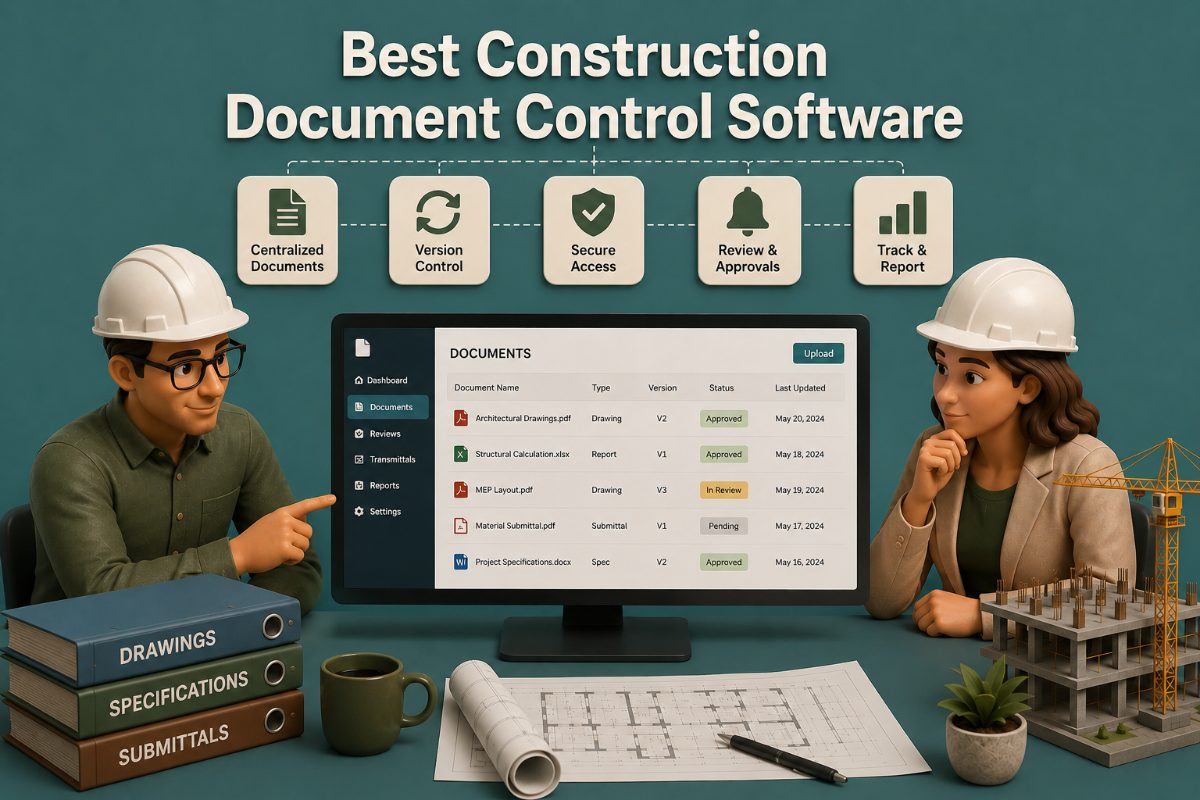
Document control and document management aren't the same thing. Management is storage and retrieval; control adds version supersession, formal approval workflows, and audit trails on top — and control is the piece that actually prevents field errors.
The category splits into three tiers. All-in-one construction management platforms (Procore, Autodesk Construction Cloud, Oracle Aconex, Trimble Unity Construct) bundle document control into a broader system. Specialist tools (Bluebeam, Folderit, Mastt, DocShield) focus narrowly on documents. A newer AI document intelligence layer reads drawings and specs actively rather than just storing them.
AI document intelligence is the fastest-moving part of the category in 2026. Tools in this emerging subcategory extract requirements from specs, flag conflicts between drawing revisions, and auto-draft RFIs — a meaningfully different capability than passive version control.
Version control with automatic supersession remains the single highest-value feature, regardless of tier. A field crew installing from a superseded drawing is still the most common and most expensive document-control failure, and it's the one capability every credible platform in this category has to get right.
The right platform depends on three factors, in order: project size and complexity, who specifies the platform (the GC or the owner), and the firm's existing tech stack. A $500+/month Procore deployment is overkill for a five-person residential remodeler; a $69/month DocShield deployment is underpowered for a 200-person commercial GC.
Document control gets talked about as a hygiene issue — until you look at what poor document practices actually cost. Industry productivity research consistently puts the number at roughly 35% of a construction professional's time (around 14 hours a week) lost to non-optimal activities like searching for project information and reconciling outdated documents, a drag estimated at $175+ billion annually across U.S. construction. That's the backdrop against which "which platform should we buy" is actually a meaningful question, not a nice-to-have.
What Document Control Software Actually Has to Do
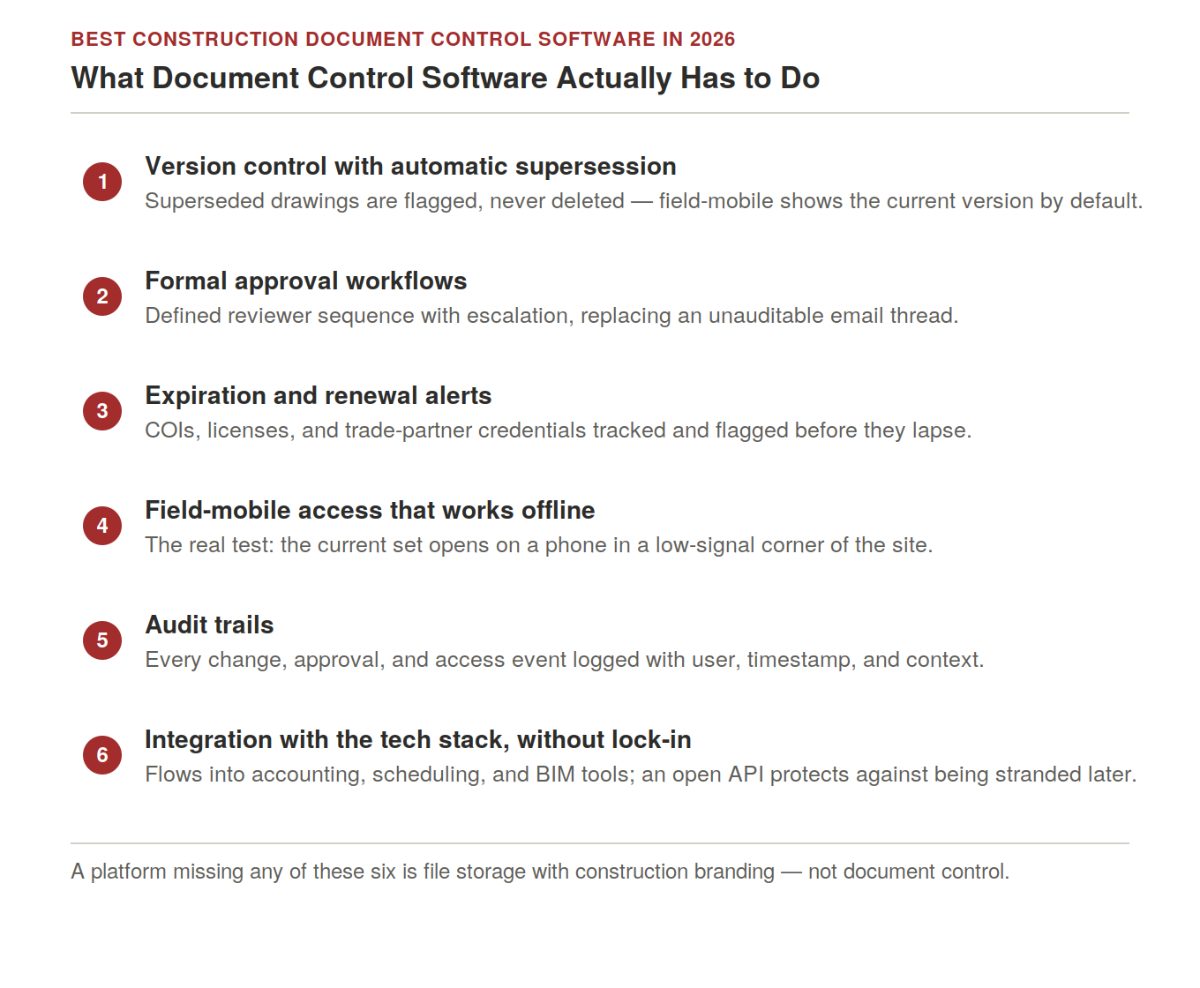
"Document control" gets used loosely enough that it's worth being precise about what separates it from general file storage. A shared drive with a folder per trade is document management. It becomes document control when it adds:
Version control with automatic supersession. When a drawing is revised, the prior version is marked superseded — not deleted, but clearly flagged as no longer current, while the field-mobile default shows only the current version.
Formal approval workflows. Drawings, submittals, RFIs, and change orders route to the right reviewer in a defined sequence, with escalation if a reviewer stalls, rather than becoming an unauditable email thread.
Expiration and renewal alerts. Certificates of insurance, licenses, and trade-partner credentials get tracked and flagged before they lapse — a trade partner working on-site with an expired COI is a liability event, not a paperwork inconvenience.
Field-mobile access that works offline. A superintendent who has to walk back to the trailer to confirm the current revision is a superintendent who, under schedule pressure, sometimes doesn't. Mobile matters; offline capability matters just as much — the real test is whether the current set opens on a phone in a low-signal corner of an active site, not just in a demo with full bars.
Audit trails. Every document change, approval, and access event is logged with user, timestamp, and enough context to reconstruct a decision months later in a dispute.
Integration with the firm's tech stack, without lock-in. Documents that don't flow cleanly into accounting, scheduling, and BIM tools become a data silo the team works around rather than through. An open API matters here too — the ability to move project history out of a platform if the firm switches later is worth checking before signing, not after.
A platform that lacks these — regardless of how it's marketed — is a file-storage tool with construction branding, not a document control tool.
Master Comparison Table
Software | Category | Best For | Version Control | Field-Mobile | Starting Price |
Procore | All-in-one CM | Mid-to-large U.S. GCs, design-build firms | Automatic supersession + markup history | Strongest in category | Volume-based (custom quote) |
Autodesk Construction Cloud | All-in-one CM + BIM | Revit-native firms, BIM-heavy projects | Automatic, model-linked | Strong | Module-based, ~$80–155/yr per seat |
Oracle Aconex | Document-centric | Infrastructure mega-projects, owner-led capital programs | Mature, audit-grade | Strong | Enterprise (custom quote) |
Trimble Unity Construct | Owner-focused capital | Public-sector capital improvement programs | Mature, contract-document focused | Strong | Enterprise (custom quote) |
Bluebeam Revu | PDF markup specialist | Universal — every GC uses it for markup | Markup history, not full version control | Yes (Revu for iPad) | ~$240/yr per seat (Core) |
Folderit | Enterprise DMS | Compliance-heavy work, contracts, regulatory docs | Strong | Limited | $27/mo (3 users)–$129/mo (20 users) |
Mastt | Document + project controls | Owners and PMs linking documents to budgets | Strong | Yes | Custom quote |
DocShield | Contractor-focused | Small-to-mid contractors wanting simple version control | Strong (core feature) | Yes | $69/mo flat |
SafetyCulture | EHS + document control | Safety-focused firms wanting inspections tied to document status | Limited | Yes (strong mobile) | Custom quote |
SharePoint / Google Workspace / Dropbox / Box | Generalist DMS | Small teams starting out or on a tight budget | Basic version history, not construction-tuned | Varies | Often already owned |
Buildertrend | Residential CM | Residential builders and remodelers | Automatic | Yes | Tiered subscription (custom quote) |
AI document intelligence tools (e.g., Pelles) | Emerging category | Firms wanting active extraction, not just storage | N/A — layers on top of a DMS | Yes | Custom quote |
All-in-One Construction Management Platforms
Four platforms dominate this tier, each with a distinct target customer.
Procore is the default at mid-to-large U.S. GCs. Document control is one module among many — drawings, submittals, RFIs, change orders, and daily logs live in the same system as scheduling and accounting integrations, with one shared audit trail. Procore's mobile workflow is widely regarded as the strongest in the category, and its 400+ integrations mean it fits into an existing accounting/scheduling stack rather than replacing it.
Best for: Mid-to-large commercial GCs running multi-trade or design-build work who want document control as one piece of a broader system of record. Tradeoff: Volume-based pricing gets expensive at smaller firms, and the platform's breadth means many features go unused at smaller deployments.
Autodesk Construction Cloud (ACC) is the BIM-native alternative. Its document module (Autodesk Docs) links drawing revisions directly to the underlying Revit model, so a design change propagates through to the field-mobile app rather than requiring a separate re-upload.
Best for: Revit-native design-build firms and BIM-heavy commercial or institutional projects. Tradeoff: Less value for firms doing primarily 2D-drawing-based work; narrower accounting integration than Procore.
Oracle Aconex is the standard on infrastructure mega-projects — highways, airports, hospitals, power plants — where formal transmittals, multi-party approvals, and contractually-required audit trails are the point, not a bonus feature. It's frequently specified by the owner before bidding even opens.
Best for: Infrastructure mega-projects, global capital programs, and any delivery model where document audit trails are a contractual requirement. Tradeoff: Enterprise pricing and complexity that's overkill for typical commercial GC work.
Trimble Unity Construct (formerly e-Builder) serves owners running capital improvement programs — public-sector agencies, university facilities, large healthcare systems. GCs typically inherit it as a contract requirement rather than choosing it themselves, running it alongside their own internal platform to satisfy the owner's reporting needs.
Best for: Public-sector capital programs and owner-side portfolio reporting. Tradeoff: GCs rarely select it directly; it's the owner's system of record, not the contractor's.
Specialist Document Control Tools
Beyond the all-in-one platforms, most GCs run at least one specialist tool alongside their primary system.
Bluebeam Revu is the universal PDF markup standard — plan-check responses, owner-review redlines, and field-issue tracking happen in Bluebeam regardless of what other platform a team runs. Studio Sessions enable real-time collaborative markup across multiple parties on the same document, and Revu for iPad extends that to the field.
Best for: Every GC, architect, and engineer in the industry — it's a near-universal complement, not a replacement for a full DMS. Tradeoff: Bluebeam is a markup tool first. It doesn't provide the version-supersession or approval-workflow depth of a dedicated document control platform on its own.
Folderitis a general-purpose enterprise DMS that construction firms use for contracts, certificates of insurance, and regulatory documentation that doesn't fit naturally into project-drawing-focused platforms. Strong version control and customizable approval workflows at accessible pricing.
Best for: Compliance-heavy documentation — contracts, COIs, regulatory records — alongside a separate drawing-focused platform. Tradeoff: Not construction-specific; lacks native RFI/submittal workflow integration.
Mastt differentiates by linking documents directly to budget and cost reporting, so a change order connects automatically to its financial impact rather than living as a separate file.
Best for: Owners and PM-side teams who need document status rolled up into project financial health. Tradeoff: Built more for owner-side portfolio management than day-to-day GC field operations.
DocShield.Cloud is the affordable, purpose-built option for smaller contractors — flat $69/month, with genuine version tracking, approval tracking, and expiration alerts, without the breadth or cost of an all-in-one platform.
Best for: Small-to-mid contractors and solo GCs who need real document control but can't justify enterprise pricing. Tradeoff: Narrower feature set than the all-in-one platforms; firms tend to outgrow it as project complexity increases.
SafetyCulture approaches document control from the safety and inspections side rather than the drawings side — role-based access, automated report generation, and broadcast tools for site-wide plan changes, layered on top of digital inspection checklists. For firms where EHS compliance and document status genuinely need to live in the same workflow, that combination is the appeal.
Best for: Safety-focused contractors who want inspection and compliance workflows tied to the same platform as document status, rather than run as separate systems.
Tradeoff: Document version control and drawing markup are considerably lighter than the dedicated platforms above — this is a safety platform with a document layer, not the reverse.
Generalist Storage Tools: Why They're Not Enough Alone
Most small firms don't start with a construction-specific platform — they start with whatever the company already has: SharePoint, Google Workspace, Dropbox Business, or Box. These tools genuinely provide version history and access permissions, and for a two-person operation with a handful of documents, that can be adequate for a while.
What they don't provide is the construction-specific layer: no native drawing markup, no submittal or RFI workflow, no automatic supersession tuned to how a drawing set actually revises, and no expiration tracking for COIs or licenses. Version history exists, but it's generic file history, not a construction document control workflow — exactly the gap the productivity numbers cited earlier are describing. Most firms outgrow this setup the moment they're running more than a couple of active projects with subcontractors who need controlled access to a specific, current set of drawings.
Best for: Very small teams or firms just starting, often paired with Bluebeam for markup as a minimal starter stack.
Tradeoff: No construction-specific workflow. This is document storage, not document control, regardless of how the files are organized inside it.
Residential-Focused Platforms
Buildertrend is built for residential builders and remodelers rather than commercial GCs, integrating document storage with client communication, selection management, and sales tools. Homeowners get a portal to view progress and approve selections directly, which isn't a workflow the commercial-focused platforms above prioritize.
Best for: Residential builders and remodeling companies that need document control alongside client-facing communication and scheduling.
Tradeoff: Not built for multi-party commercial coordination at GC scale.
The Emerging Category: AI Document Intelligence
2026 has introduced a genuinely new subcategory rather than just faster versions of existing tools. Where a traditional DMS stores documents and tracks versions passively, AI document intelligence platforms read the documents actively, extracting required submittals and keynotes from spec books, flagging conflicts between drawing revisions automatically, and drafting RFIs or proposal language from the extracted content rather than waiting for a human to find the issue first.
Tools like Pelles position this as a layer that sits on top of a firm's existing document management system rather than replacing it: the DMS remains the system of record, and the intelligence layer does the reading and flagging work a project engineer would otherwise do manually across a 300-page spec book.
Best for: Firms with high document volume per project that want conflict detection and requirement extraction automated, not just storage and versioning.
Tradeoff: This is an early-stage category; evaluate output accuracy and traceability carefully, and expect to run it alongside, not instead of, an established DMS.
How to Choose: The Decision Tree
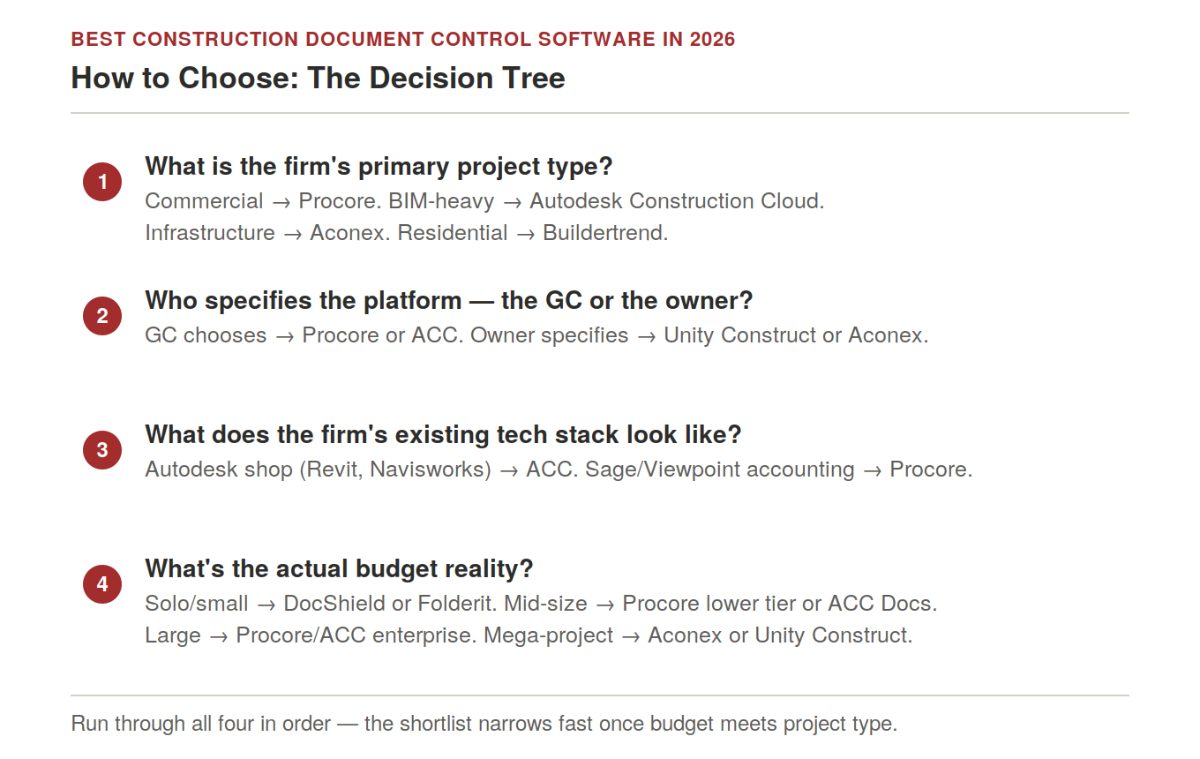
Four questions, in order, narrow the shortlist quickly:
What is the firm's primary project type? Commercial new construction defaults to Procore. BIM-heavy design-build favors Autodesk Construction Cloud. Infrastructure mega-projects point to Oracle Aconex. Residential work points to Buildertrend or a lighter specialist stack.
Who specifies the platform — the GC or the owner? If the GC chooses, Procore or ACC are the most common defaults. If the owner specifies (common on public-sector and institutional work), the owner's platform is the platform, and the GC adapts.
What does the firm's existing tech stack look like? A heavy Autodesk shop (Revit, Navisworks) has the path of least resistance through ACC. A firm running Sage or Viewpoint for accounting gets more value from Procore's integration breadth.
What's the actual budget reality? Solo or small GCs: DocShield or Folderit. Mid-size: Procore lower tier or ACC's Docs module. Large: Procore enterprise or full ACC deployment. Mega-project or capital program: Aconex or Unity Construct, often at six-figure annual commitments.
How the Stack Looks at Different Firm Sizes
GC Size | Primary Platform | Supplementary Tools | Typical Annual Budget |
Solo / 2–10 person firm | SharePoint/Dropbox + Bluebeam, or DocShield/Folderit once outgrown | Bluebeam Revu Core for markup | $0–$3,000 per seat |
10–50 person commercial GC | Procore lower tier or ACC Docs module | Bluebeam, accounting integration | $5,000–$15,000 per seat |
50–500 person commercial GC | Procore enterprise or ACC full deployment | Bluebeam Complete, BIM coordination tools | $10,000–$25,000+ per seat |
500+ person firm / mega-project | Procore enterprise, Aconex, or Unity Construct | Multiple integrated platforms, custom integrations | $15,000–$40,000+ per seat |
Owner / capital program | Unity Construct, Aconex, or Mastt | GC platform overlay (Procore) for execution | Significant six-figure program cost |
The pattern holds regardless of platform: cost scales with project complexity more than headcount. A 25-person GC running complex healthcare work often spends more per seat than a 100-person firm doing repetitive multifamily.
Frequently Asked Questions
What is the best construction document control software in 2026?
There's no single best platform — it depends on project type, firm size, and tech stack. Procore is the default for mid-to-large U.S. commercial GCs. Autodesk Construction Cloud leads for BIM-heavy design-build work. Oracle Aconex is the standard for infrastructure mega-projects. DocShield and Folderit lead for small contractors who need real version control without enterprise pricing.
What's the difference between document control and document management?
Document management is storage, organization, and retrieval — keeping files somewhere they can be found. Document control adds version tracking with automatic supersession, formal approval workflows, expiration alerts, and audit trails on top. General storage tools (Dropbox, SharePoint) provide management; construction-specific platforms provide control.
Is Procore the right choice for every GC?
No. Procore is the default for mid-to-large U.S. commercial GC work, but it's not universally optimal. BIM-heavy design-build firms often get more value from Autodesk Construction Cloud's native Revit integration. Infrastructure mega-projects need Aconex's document rigor. Small GCs typically find Procore's volume-based pricing hard to justify relative to the value received.
What is the cheapest construction document control software?
DocShield at $69/month flat is among the most accessible dedicated platforms. Folderit starts at $27/month for three users. For minimum cost with construction-specific workflow features, Bluebeam Revu (~$240/year) for markup paired with a lighter DMS is a common starter setup, though it lacks the submittal/RFI workflows of a dedicated platform.
How does version control actually work in these platforms?
The platform retains every version of every document but presents the current approved version by default. When a new revision is uploaded, the prior version is automatically marked superseded, usually with a visible flag, while remaining accessible for audit purposes. Field-mobile users see the current version unless they specifically request a prior one — this is what prevents the single most common and costly document-control failure: a crew installing from an outdated drawing.
Can I just use SharePoint, Google Workspace, or Dropbox for construction document control?
For a very small team with a handful of documents, it can work for a while — these tools genuinely provide version history and access permissions. What they don't provide is the construction-specific layer: native drawing markup, submittal/RFI workflow, automatic supersession tuned to drawing revisions, or expiration tracking for COIs and licenses. Most firms outgrow this setup once they're running multiple active projects with subcontractors who need controlled access to a current drawing set.
What is AI document intelligence, and is it different from document management?
Yes, meaningfully. Traditional document management and control tools store, version, and route documents — largely passive functions. AI document intelligence platforms (an emerging 2026 category) actively read the documents: extracting required submittals from spec books, flagging conflicts between drawing revisions, and drafting RFIs from the extracted content. It's positioned as a layer on top of an existing DMS, not a replacement for one.
Does the project owner usually dictate which platform the GC has to use?
Increasingly, yes, particularly on institutional, healthcare, public-sector, and large capital-program work. Owners want consistent document workflows and audit-grade reporting across their project portfolio. Public-sector and capital-program owners often require Trimble Unity Construct or Aconex specifically. GCs working across multiple owner types frequently need working fluency in more than one platform.
How long does implementation typically take?
For simple tools like DocShield or Folderit, days to a few weeks. For Procore or ACC at mid-to-large scale, typically 3–6 months, including data migration, accounting/scheduling integration, and field rollout. Mega-project deployments of Aconex or Unity Construct can take 6–12 months. Underestimating this timeline is one of the most common reasons platform rollouts stall.
Related Building Code Resources
- Building CodesGo/No-Go Readiness Checklist for Construction Project Pursuit Decisions
- Building CodesBest Construction Estimating Software for Mac in 2026
- Building CodesAddenda in Construction: Definition, Purpose, and How to Manage Them
- Building CodesBest Construction CRM Software for Bid Tracking and Follow-Up for General Contractors
- Building CodesBest Construction Estimating Software in the UK Compared
MeltPlan
A curated stream of preconstruction intelligence, estimating innovation, takeoff breakthroughs, workflow advancements, and expert perspectives—powered by the AI and technology shaping the future of construction.
Visit SiteDon't miss what's shaping AEC
The latest on preconstruction, codes, AEC news & trends — so you're always in the know.