The Best Construction Document Control & Document Management Software in 2026
Document control is the workflow that quietly determines whether a construction project finishes on schedule. The wrong drawing in the field becomes a change or..
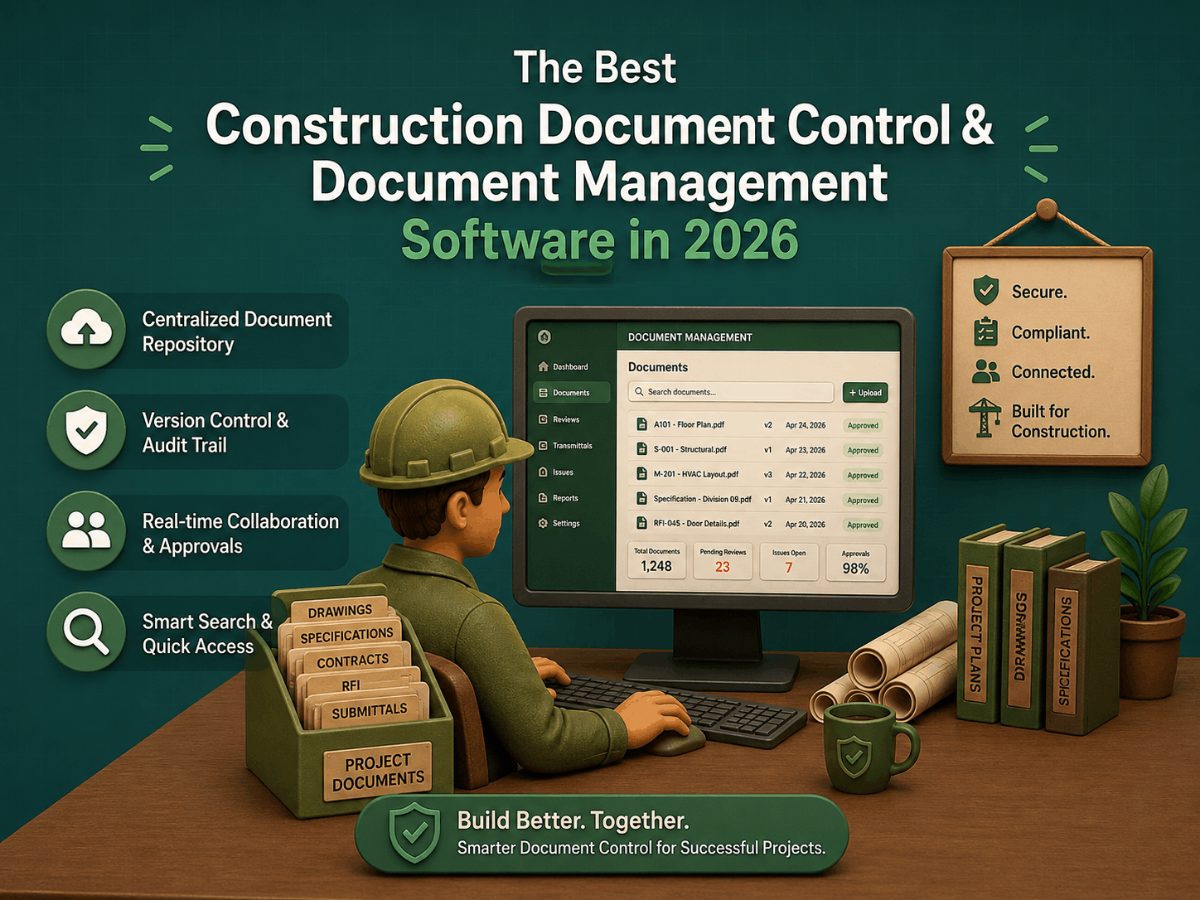
Document control is the workflow that quietly determines whether a construction project finishes on schedule. The wrong drawing in the field becomes a change order. A missed revision becomes a rework cycle. An outdated stamped set becomes a permit violation. The software that runs document control on a construction project is not glamorous, but it is one of the most leverage-heavy tools in the GC's stack, a single integrated platform handling drawings, submittals, RFIs, contracts, and revisions is the difference between a project running clean and a project bleeding admin hours.
This article compares the leading construction document control and document management platforms as of 2026, organized by the GC's actual workflow needs: drawing management, version control, submittal workflows, field access, and the integration depth that determines whether the platform fits the firm's existing tech stack. The audience is the GC, project executive, document controller, or preconstruction lead evaluating which platform to invest in for managing project documentation across active jobs.
Key Takeaways
Document control and document management are related but distinct. Document management is the storage, organization, and retrieval. Document control adds version tracking, approval workflows, expiration alerts, and audit trails. GCs need both — most modern platforms combine them.
The category splits into three tiers. All-in-one construction management platforms (Procore, Autodesk Construction Cloud, Oracle Aconex, Trimble Unity Construct) include document control as one module among many. Specialized document control tools (Bluebeam, Folderit, Mastt, DocShield) focus narrowly on documents. Generalist DMS platforms (SharePoint, Box, Dropbox Business) handle storage but lack construction-specific workflow.
Procore dominates the all-in-one segment at mid-to-large U.S. GCs, with deep integrations across the construction tech stack. Autodesk Construction Cloud leads at BIM-native design-build firms. Oracle Aconex leads at infrastructure mega-projects and global capital programs.
The right platform depends on three factors: project size, firm size, and existing tech stack. A $500/month Procore deployment is overkill for a 5-person residential GC; a $69/month DocShield deployment is underpowered for a 200-person commercial firm.
Version control is the single highest-value feature. The cost of a single field crew installing from a superseded drawing is often higher than a year of platform subscription. Platforms without genuine version control — automatic supersession, watermarked outdated copies, audit trails- are not document control tools, regardless of marketing language.
Master Feature Comparison: Construction Document Control Platforms at a Glance
The table below covers the leading platforms discussed in this article. Detailed per-category tables follow in each section.
Software | Category | Best For | Drawing Management | Submittal/RFI Workflow | BIM Integration | Starting Price | Field-Mobile |
Procore | All-in-one CM | Mid-to-large U.S. GCs, design-build firms | Yes (strong) | Yes (industry-standard workflows) | Via integrations | Volume-based (project value) | Yes (strong) |
Autodesk Construction Cloud | All-in-one CM + BIM | Revit-native firms, BIM-heavy projects | Yes (strong) | Yes | Native (deepest) | Module-based, ~$80–155/yr per seat | Yes |
Oracle Aconex | Document-centric | Infrastructure mega-projects, owner-led capital programs | Yes (mature) | Yes (formal workflows) | Limited | Enterprise pricing | Yes |
Trimble Unity Construct (e-Builder) | Owner-focused capital | Capital improvement programs, public-sector owners | Yes | Yes (approval-heavy) | Limited | Enterprise pricing | Yes |
Bluebeam Revu | PDF markup specialist | Universal — every GC has it for markup | Markup-focused | No (markup tool, not workflow tool) | No | ~$240/yr per seat (Core); higher for Complete | Yes (Revu for iPad) |
Mastt | Document + project controls | Owners and PMs linking documents to budgets | Yes | Yes | Limited | Custom pricing | Yes |
Folderit | Enterprise DMS | Compliance-heavy work, contracts, regulatory documentation | Folder + version control | Workflow customization | No | $27/mo (3 users) — $129/mo (20 users) | Limited |
SafetyCulture | EHS + document control | Safety-focused workflows with document layer | Yes | Limited | No | Per-user pricing, custom tiers | Yes (strong mobile) |
DocShield | Contractor-focused | Small-to-mid contractors wanting simple version control | Yes | Limited | No | $69/mo flat | Yes |
This master table answers the first questions GCs need: which category each platform belongs to, who it's built for, and the cost order of magnitude. The detailed feature tables below go deeper into each category.
What Document Control Actually Has to Do
Before reading the comparison tables, it helps to be specific about what "document control" means in construction practice. The category is sometimes conflated with general file storage (Dropbox, Google Drive, SharePoint) — but document control adds several specific capabilities that general storage tools do not provide:
Version control with automatic supersession. When a drawing revision is uploaded, the old version is automatically marked as superseded, not deleted. Field teams accessing the drawing get the current version by default; the old version remains accessible for audit purposes but is clearly marked. This is the single highest-value document-control capability.
Approval workflows. Drawings, submittals, RFIs, and change orders all require approval chains. The platform routes documents to the right reviewer, tracks approvals, escalates stalled approvals, and maintains an audit log of who approved what when. Without this, approval becomes an email thread that cannot be audited.
Expiration and renewal alerts. Certificates of insurance, business licenses, and trade-partner credentials all expire. The platform tracks expiration dates and alerts before expiration. A trade partner working on-site with an expired COI is a project-killing liability event.
Field-mobile access. Drawings, RFIs, and submittals need to be accessible from tablets and phones in the field, with markup capability for on-site issues. Mobile workflows are now table stakes; a platform without strong mobile is not viable for active construction projects.
Audit trails. Every document change, every approval, and every access event is logged with the user, timestamp, and IP address. This is essential for disputes, litigation, and post-project liability defense.
Integration with the construction tech stack. Documents don't live in isolation. The platform must integrate with the GC's accounting (Sage, Viewpoint), scheduling (Primavera, MS Project), BIM (Revit, Navisworks), and field-management tools.
A platform that lacks these capabilities is a file storage tool with construction branding, not a document control tool — regardless of how it is marketed.
What to Evaluate Before You Buy
Six factors matter when comparing platforms in this category, in approximate order:
1. Project Size and Complexity
A 10-unit townhome project has different document control needs than a 1.2M-square-foot data center. Platform fit scales with project size:
Small projects (under $5M, simple scope): DocShield ($69/mo), Folderit ($27–129/mo), or a well-organized Bluebeam + SharePoint workflow may suffice.
Mid-size projects ($5M–$50M, multi-trade): Procore lower tier, ACC Build module, or comparable all-in-one platforms.
Large projects ($50M+, complex coordination): Procore enterprise, ACC full suite, Oracle Aconex, or Trimble Unity Construct, depending on owner vs. GC perspective.
2. Firm Size and Tech Stack
Solo GC or under-10-person firm: Often a single specialist tool (Bluebeam + Folderit, or DocShield as an all-in-one) plus the AHJ's portal and an accounting system.
10–50 person GC: Typically, Procore lower-tier or ACC Build module, with Bluebeam universal for markup.
50–500 person GC: Procore enterprise or ACC full Build + Docs deployment, with multi-module integration.
500+ person firm or mega-project specialist: Oracle Aconex, Trimble Unity Construct, or Procore enterprise with custom integrations.
3. Project Type and Owner Requirements
Commercial new construction (GC-led): Procore is the dominant platform; expect the team to be Procore-fluent.
Public-sector / institutional / capital programs (owner-led): Trimble Unity Construct (formerly e-Builder) and Aconex dominate. The owner often specifies the platform.
Infrastructure mega-projects: Oracle Aconex is the standard for highway, rail, airport, and power plant work.
Design-build with heavy BIM coordination: Autodesk Construction Cloud's native Revit integration is the strongest fit.
4. Field-Mobile Requirements
Most platforms now offer mobile field apps, but the depth varies. Procore's mobile workflow is widely regarded as the strongest in the all-in-one category. Bluebeam Revu for iPad is the universal markup standard. SafetyCulture's mobile workflow is built around field inspections. For active construction with a large field team, mobile capability is not optional.
5. Owner / Client Platform Requirements
Increasingly, project owners specify which platform the GC must use for document control. Public-sector owners often require Trimble Unity Construct or Aconex. Healthcare and institutional owners often require Procore. A GC working across multiple owners may need to be fluent in multiple platforms.
6. Integration Depth
The platform's integration with the firm's existing accounting, scheduling, and field tools determines whether document control is a frictionless layer or a separate data silo. Procore has 400+ integrations; ACC has the deepest Autodesk-stack integration; Aconex integrates strongly within Oracle's broader construction stack but less broadly outside it.
The Leading All-in-One Construction Management Platforms
Four platforms dominate the all-in-one category, each with a distinct positioning and target customer profile.
All-in-One Platform Comparison
Feature | Procore | Autodesk Construction Cloud | Oracle Aconex | Trimble Unity Construct |
Vendor | Procore Technologies | Autodesk | Oracle | Trimble |
Primary positioning | All-in-one for GCs | BIM-integrated construction lifecycle | Document-centric large project delivery | Capital program management |
Target user | GCs, subcontractors, project managers | Revit-native design-build firms, BIM coordinators | Infrastructure GCs, owner-led mega-projects | Public-sector owners, capital programs |
Document management | Strong (drawings, submittals, RFIs, contracts) | Strong (deepest BIM model linkage) | Strongest in category (formal process control) | Strong (approval-workflow-heavy) |
Version control | Automatic supersession + markup history | Automatic, with model-linked versioning | Mature, audit-grade | Mature, contract-document focused |
Submittal/RFI workflow | Industry-standard | Industry-standard | Formal multi-party workflows | Approval-heavy |
BIM integration | Via integrations (Revit, Navisworks) | Native (Autodesk stack) | Limited | Limited |
Field-mobile | Strongest in category | Strong (ACC Build mobile) | Strong | Strong |
Accounting integration | 400+ integrations (Sage, Viewpoint, QuickBooks, etc.) | Limited (Autodesk-stack focus) | Oracle ecosystem | Trimble + third-party |
Pricing model | Volume-based (project value) | Module-based subscription | Enterprise | Enterprise |
Typical cost | Quote-based; $500+/mo for small deployments | ~$80–155/yr per seat (module-dependent) | Enterprise — significant six-figure deployments | Enterprise pricing |
Best for | Mid-to-large U.S. GCs across most commercial project types | Revit-native firms, BIM-heavy projects, design-build | Infrastructure mega-projects, global capital programs, owner-led work | Public-sector capital improvement programs |
Procore — The All-in-One Standard for GCs
Procore is the dominant construction management platform at mid-to-large U.S. GCs. Document control is one module among many — drawings, submittals, RFIs, change orders, daily logs, photos, schedule integration, and accounting integration all live in the same platform. The strength is breadth: a GC standardized on Procore manages the entire construction workflow in one system, with one user database, one audit trail, and one mobile app.
Procore's mobile workflow is widely regarded as the strongest in the category. Superintendents log daily reports from the field, foremen access current drawings on tablets, and project managers approve RFIs from phones — all without switching tools.
The 400+ integrations are the differentiator at the firm-stack level: Procore connects to Sage, Viewpoint, QuickBooks, Primavera, MS Project, Revit, Navisworks, Bluebeam, and dozens of specialized AEC tools. For GCs with established accounting and scheduling systems, this integration depth means Procore fits into the existing stack rather than replacing it.
Best for: Mid-to-large U.S. GCs running commercial new construction, multi-trade renovations, and design-build work. The default expectation at most commercial GCs.
Trade-off: Volume-based pricing (typically a percentage of project value or annual construction volume) can be expensive at smaller firms. The platform's breadth means many features go unused at smaller deployments — some firms find they pay enterprise pricing for capabilities they don't need. Procore is also not BIM-native; it integrates with Revit but doesn't host the model itself.
Autodesk Construction Cloud — The BIM-Native Alternative
Autodesk Construction Cloud (ACC) is the umbrella platform that combines BIM 360 (now ACC Build and ACC Docs), PlanGrid, BuildingConnected, and Assemble into a single ecosystem. The defining differentiator versus Procore is BIM integration — ACC was built to handle the construction-side use of BIM models that originated in Revit.
ACC's document module (Autodesk Docs) handles drawing management, submittal workflows, and revision control with deep integration to the design-side BIM authoring tools. When a designer revises a Revit model, the change propagates through ACC to the field-mobile app on the superintendent's tablet. This native integration is the strongest argument for ACC at BIM-heavy projects.
The Model Coordination module brings clash detection into the cloud, automatically running clash analysis on every model publish, useful for the GC who inherits a federated model from the design team and needs to verify coordination before construction starts.
Best for: Revit-native design-build firms, BIM-heavy commercial projects, healthcare, and institutional work with complex MEP coordination requirements.
Trade-off: Less broad than Procore for non-BIM workflows. A GC doing primarily 2D-drawing-based residential or simple commercial work gets less value from ACC's BIM integration depth. ACC's accounting integration is narrower than Procore's — Autodesk-stack focused rather than broadly integrative.
Oracle Aconex — The Mega-Project Document Standard
Oracle Aconex is the dominant document control platform on infrastructure mega-projects and large capital programs — highways, airports, hospitals, power plants, rail systems. Its strength is formal process control: every document change, every approval, every transmission is logged with full audit traceability. For projects with hundreds of parties, multi-year timelines, and contractual document-control requirements, Aconex is often specified by the owner before bidding.
Aconex's document workflow is heavier than Procore's or ACC's — formal transmittals, multi-party approvals, and contract-document version control. The interface reflects this: it is less consumer-friendly than newer platforms, but it provides the document-level rigor that mega-projects require.
Best for: Infrastructure mega-projects, global capital programs, complex multi-party delivery models, and any project where document audit trails are contractually required.
Trade-off: Enterprise pricing and complexity. Aconex is overkill for typical commercial GC work; the value proposition is highest at projects where the document workflow itself is the risk. Native cost management is weaker than its document control — Oracle positions Aconex as one layer within a broader Oracle construction stack.
Trimble Unity Construct — The Owner-Focused Capital Platform
Trimble Unity Construct (which absorbed Trimble e-Builder) is positioned for owners running capital improvement programs — public-sector building agencies, university facilities, healthcare systems, large corporate real estate. The platform's emphasis is on formal approvals, contract administration, lifecycle oversight, and reporting to executive stakeholders.
The GC's experience of Unity Construct is typically that the owner specifies the platform as a contract requirement. The GC then uses Unity Construct alongside their own internal platform (often Procore) to satisfy the owner's reporting requirements.
Best for: Public-sector capital programs, university facility management, healthcare systems, and large corporate building portfolios.
Trade-off: Enterprise pricing. Owner-led platform — GCs typically don't choose Unity Construct; they inherit it from the owner. Less day-to-day field workflow than Procore.
The Specialist Document Tools That Most GCs Also Use
Beyond the all-in-one platforms, several specialist tools are universal in the AEC stack. Most GCs use at least one of these alongside their primary platform.
Specialist Tool Comparison
Feature | Bluebeam Revu | Folderit | Mastt | DocShield |
Primary purpose | PDF markup and review | Enterprise DMS for documents and contracts | Document + budget + project controls | Simple version control for contractors |
Document storage / DMS | Limited (markup-focused) | Strong | Strong (with cost integration) | Adequate |
Markup capability | Industry standard | Limited | Limited | Limited |
Version control | Limited | Strong | Strong | Strong (core feature) |
Approval workflows | Limited (Studio Sessions for collaborative review) | Customizable | Yes | Yes |
Audit trails | Markup history only | Full | Full | Yes |
Field-mobile | Bluebeam Revu for iPad | Limited | Yes | Yes |
Cost integration | No | No | Yes (defining feature) | No |
Typical cost | ~$240/yr (Core); higher for Complete | $27/mo (3 users) to $129/mo (20 users) | Custom pricing | $69/mo flat |
Best for | Universal — every GC uses for markup | Compliance-heavy work, contracts, COIs, regulatory docs | Owner-side or PM-side teams linking docs to budget | Small contractors wanting affordable version control |
Bluebeam Revu — The Universal Markup Standard
Bluebeam Revu is the universal PDF markup tool in AEC. Every architect, every GC, every engineer, every superintendent has Bluebeam. Plan-check correction responses, owner-review markups, field-issue tracking, and as-built redlines all happen in Bluebeam regardless of what other platforms the team uses.
Studio Sessions enable real-time multi-party collaborative review on the same PDF document, useful for coordination meetings and plan reviews. Revu for iPad extends the workflow to field mobile use.
Best for: Every GC, every architect, every engineer in the AEC industry. Universal tool.
Trade-off: Bluebeam is a markup tool, not a document-management tool. It does not provide version control, approval workflows, or storage at scale. It complements an all-in-one platform; it does not replace one.
Folderit — The Enterprise DMS for Documents and Contracts
Folderit positions itself as an enterprise-grade document management system that GCs use for contracts, certificates of insurance, regulatory documentation, and compliance-heavy paperwork that doesn't fit naturally into the all-in-one platforms. Strong version control, customizable approval workflows, and granular permission controls.
Best for: GCs handling sensitive contracts, regulatory compliance work, COI tracking, and cross-team collaboration on non-drawing documentation.
Trade-off: Not construction-specific — it's a general-purpose DMS that works for construction. Less integrated with construction-specific workflows (RFIs, submittals, daily logs) than Procore or ACC.
Mastt — The Document-Plus-Cost-Integration Platform
Mastt distinguishes itself by linking document management directly to project budgets. Construction contracts and change orders connect automatically to cost reports — useful for owner-side teams and PMs who need a high-level view of project health that ties documents to financial outcomes.
Best for: Owners, owner's reps, and PM-side teams running multiple capital projects who need budget-document linkage.
Trade-off: Less GC-focused than Procore or ACC. Better suited to owner-side and program-management workflows than to GC field operations.
DocShield — The Affordable Contractor Tool
DocShield is positioned as an affordable, contractor-focused document control tool at $69/month flat pricing. The narrow focus is genuine version control, approval tracking, and expiration alerts — without the breadth (or cost) of all-in-one platforms.
Best for: Small-to-mid contractors who need real document control but cannot justify Procore's enterprise pricing. Solo GCs and small subcontractors.
Trade-off: Less feature breadth than the all-in-one platforms. A growing firm typically outgrows DocShield within a few years of adoption.
How to Choose: The Decision Tree
The right platform depends on four questions in order:
1. What is the firm's primary project type?
Commercial new construction (GC-led): Procore is the default.
BIM-heavy design-build: Autodesk Construction Cloud has the strongest BIM integration.
Infrastructure mega-projects: Oracle Aconex is the standard.
Public-sector / capital programs: Trimble Unity Construct or Aconex, depending on owner specification.
Small residential or simple commercial: DocShield, Folderit, or a Bluebeam + SharePoint workflow.
2. Who specifies the platform — the GC or the owner?
GC chooses: Procore or ACC are the most common choices for commercial GC work.
Owner specifies: The owner's platform is the platform. The GC adapts to it.
3. What is the firm's existing tech stack?
Heavy Autodesk stack (Revit, Navisworks, BIM 360): ACC is the path of least resistance.
Heavy Sage / Viewpoint / QuickBooks accounting: Procore's 400+ integrations include all major accounting platforms.
Trimble field-positioning tools: Trimble Unity Construct integrates natively.
Oracle enterprise stack: Aconex sits naturally in the broader Oracle ecosystem.
4. What is the budget reality?
Solo / small GC: DocShield ($69/mo flat), Folderit ($27–129/mo), or a free-tier approach (Bluebeam Revu + SharePoint).
Mid-size GC: Procore at the lower tier, or ACC Docs module.
Large GC: Procore enterprise or ACC full Build deployment.
Mega-project / capital program specialist: Aconex or Unity Construct, often six-figure annual commitments.
How the Document Control Stack Typically Looks at Different GC Sizes
GC size | Primary platform | Supplementary tools | Typical annual budget |
Solo GC / 2–10 person firm | DocShield ($69/mo) or Folderit | Bluebeam Revu Core (~$240/yr) for markup | $1,000–3,000 per seat |
10–50 person commercial GC | Procore lower tier or ACC Build module | Bluebeam Revu universal, accounting integration | $5,000–15,000 per seat |
50–500 person commercial GC | Procore enterprise or ACC full Build + Docs | Bluebeam Complete, scheduling integration, BIM coordination tools | $10,000–25,000+ per seat |
500+ person firm / mega-project | Procore enterprise or Aconex or Unity Construct | Multiple integrated platforms, custom integrations, dedicated DBA support | $15,000–40,000+ per seat (varies by deployment depth) |
Owner / owner's rep / capital program | Unity Construct or Aconex or Mastt | GC platform overlay (Procore) for execution | Significant six-figure annual program cost |
The pattern: cost scales with project complexity more than with raw firm size. A 25-person GC doing complex healthcare projects can spend more per seat than a 100-person firm doing repetitive multifamily.
Frequently Asked Questions
What is the best construction document control software in 2026?
There is no single best tool — the right choice depends on the GC's project type, firm size, and existing tech stack. For mid-to-large U.S. GCs doing commercial work, Procore is the most-adopted all-in-one platform. For BIM-heavy design-build firms, Autodesk Construction Cloud has the strongest BIM integration. For infrastructure mega-projects and global capital programs, Oracle Aconex is the document-control standard. For public-sector capital improvement programs, Trimble Unity Construct (formerly e-Builder) is often specified by the owner. For small contractors who need genuine version control without enterprise pricing, DocShield ($69/mo) and Folderit ($27–129/mo) are accessible options.
What's the difference between document control and document management?
Document management is storage, organization, and retrieval — keeping files in a structured system so they can be found. Document control adds version tracking with automatic supersession, approval workflows, expiration alerts, and audit trails — ensuring the team is always working from current, approved documents. GCs need both, but document control is the higher-value capability. General storage tools (Dropbox, Google Drive, SharePoint) provide document management; construction-specific platforms (Procore, ACC, Aconex) provide document control on top of management.
Is Procore the best choice for every GC?
No. Procore is the dominant choice for U.S. mid-to-large commercial GCs, but it's not universally optimal. For BIM-heavy design-build, ACC's native Autodesk integration may save more than Procore's broader integration ecosystem. For infrastructure mega-projects, Aconex's document rigor is the standard. For small GCs, Procore's volume-based pricing makes it expensive for the value received. The default choice for U.S. commercial GC work is Procore; the right choice depends on context.
What is the cheapest construction document control software?
DocShield at $69/month flat is among the most accessible dedicated tools. Folderit starts at $27/month for three users. For absolutely minimum cost, Bluebeam Revu (~$240/yr) for markup plus SharePoint or Microsoft 365 (typically already in the firm's stack) for storage provides a workable document control approach — though without the construction-specific workflow features of dedicated platforms.
Can I use SharePoint or Dropbox for construction document control?
You can use them for document storage, but they lack the construction-specific workflow features that genuine document control requires: automatic version supersession, drawing-comparison tools, submittal/RFI workflows, COI expiration tracking, and audit-grade approval chains. Many small GCs use SharePoint + Bluebeam as a starter setup; most outgrow it as project complexity increases and adopt a construction-specific platform.
How does version control work in construction document software?
The platform maintains every version of every document, but presents the current approved version by default. When a new version is uploaded, the prior version is automatically marked as superseded — usually with a visible watermark — so field teams know it is no longer current. The full version history is retained for audit purposes. When users access drawings on the mobile app, they see the current version unless they specifically request a prior version. This eliminates the most common cause of construction rework: field crews installing from a superseded drawing.
Do these platforms work on mobile devices?
Yes, all the leading platforms have field mobile apps for tablets and phones. Procore's mobile workflow is widely considered the strongest in the all-in-one category. Bluebeam Revu for iPad is the universal markup standard. ACC Build's mobile app integrates tightly with the Revit model. SafetyCulture is mobile-first. For active construction with a large field team, mobile capability is not optional.
How long does it take to implement a construction document control platform?
For a small firm using a simple tool (DocShield, Folderit), implementation can take days to a few weeks. For a mid-to-large GC adopting Procore or ACC enterprise, implementation typically takes 3–6 months, including data migration, integration with accounting and scheduling systems, user training, and rollout to active projects. Mega-project deployments of Aconex or Unity Construct can take 6–12 months. Underestimating implementation time is one of the most common reasons platform rollouts struggle.
Does the owner usually specify which platform the GC must use?
Increasingly, yes — particularly on institutional, healthcare, public-sector, and large commercial projects. Owners want consistency in document workflows across their project portfolio, audit-grade reporting on capital programs, and continuity of records after project completion. GCs working across multiple owners often need fluency in multiple platforms. Some large GCs run Procore internally and use whatever owner-specified platform is required on each project, treating Procore as the GC's system of record and the owner's platform as the owner's system of record.
Related Building Code Resources
- Building CodesGo/No-Go Readiness Checklist for Construction Project Pursuit Decisions
- Building CodesBest Construction Document Control Software in 2026
- Building CodesBest Construction Estimating Software for Mac in 2026
- Building CodesAddenda in Construction: Definition, Purpose, and How to Manage Them
- Building CodesBest Construction CRM Software for Bid Tracking and Follow-Up for General Contractors
MeltPlan
A curated stream of preconstruction intelligence, estimating innovation, takeoff breakthroughs, workflow advancements, and expert perspectives—powered by the AI and technology shaping the future of construction.
Visit SiteDon't miss what's shaping AEC
The latest on preconstruction, codes, AEC news & trends — so you're always in the know.
.jpg?alt=media&token=6bddd6e9-7d6c-4b8a-ac79-9859e1958435)