BIM Construction Software: The Complete Guide for Architects and Engineers
A set of 2D drawings handed to a structural engineer produces three separate models: one in AutoCAD for documentation, one in the engineer's analysis software, ..
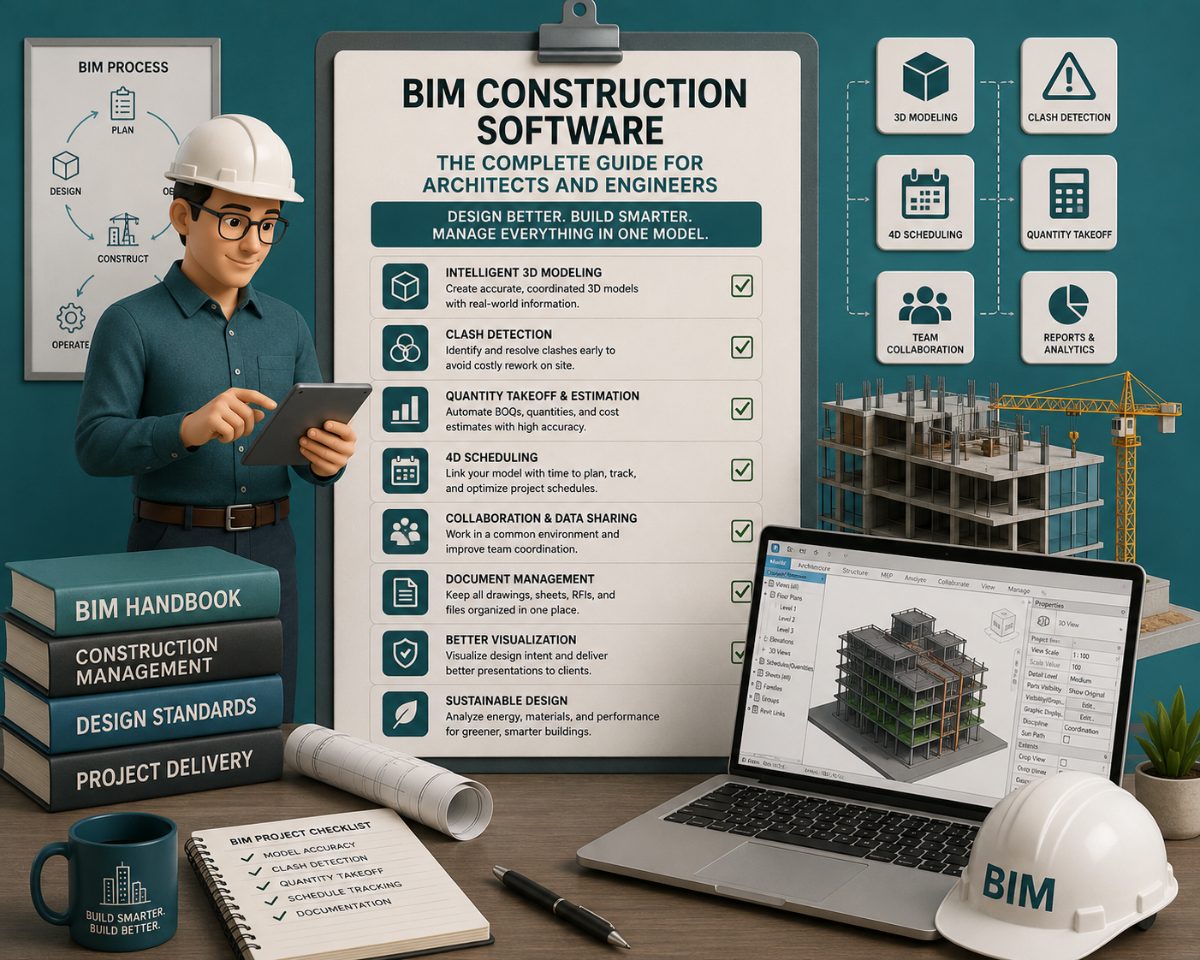
A set of 2D drawings handed to a structural engineer produces three separate models: one in AutoCAD for documentation, one in the engineer's analysis software, and one in the contractor's head. Each one diverges from the others as the project evolves. Every divergence is a potential RFI, a change order, or a field conflict.
BIM replaces that fragmentation with a single, data-rich 3D model that all disciplines read from and write to. The model carries the geometry, the code analysis, the material specifications, the schedule, and the cost data. When a wall moves, every plan, section, elevation, and schedule updates automatically. When two systems conflict, the clash appears in the model — not on the ceiling.
This guide covers the BIM software stack that architects and engineers select, build in, and coordinate across: what each platform does, which discipline it serves, and how the model flows from design into construction.
What Is BIM Construction Software?
Building Information Modeling software is a digital environment for creating intelligent 3D building models where every element — walls, beams, ducts, conduits, fixtures — carries data about its geometry, material, cost, and relationships to adjacent elements.
Unlike CAD, which produces drawings, BIM produces a model that generates drawings. Change the model once, and every derived view updates: floor plans, elevations, sections, room schedules, door tags, material quantities. Revit's parametric change engine creates a single, data-rich 3D model where any change updates automatically across all views and drawings.
The implications for architects and engineers are direct:
Design intent is represented spatially and logically, not interpreted from 2D projections
Clearances, alignments, and tolerances are validated in the model before documentation is issued
Clash detection runs against the real geometry, not approximations on a plan
Documentation quality is tied to model quality — a complete model produces complete drawings
A 2025 peer-reviewed study titled The Impact of BIM on Project Time and Cost found that BIM-enabled projects achieved a 25% reduction in RFIs and a 30% reduction in design errors and rework. These are not coordination improvements — they are design documentation improvements that happen before the GC ever opens the file.
How BIM Software Maps to Each Design Discipline
BIM is not a single tool used the same way by every discipline. The model is authored by multiple teams in multiple platforms, then federated for coordination. Understanding who uses what and why is the starting point for platform selection.
Architects
Architects are the primary model authors on most commercial projects. The architectural model establishes the building geometry, space program, partition types, openings, and finish schedules. It is the reference model that structural and MEP engineers work against.
The future of architecture is intrinsically tied to BIM. Architects need to go beyond visually appealing designs to conduct performance assessments — energy performance, daylighting — and collaborate with other disciplines within the BIM model to assure a seamless workflow. They also define what information is required from the model and ensure quality and usability throughout the project lifecycle.
Primary authoring tools: Revit (dominant, especially on large multidisciplinary projects), ArchiCAD (strongest for architecture-focused firms and Mac workflows).
Structural Engineers
Structural engineers build a discipline model — foundation plan, framing at each level, connections, holdowns, shear walls, that is coordinated against the architectural model. The structural model must reflect the same code editions, occupancy classifications, and ASCE 7 loading assumptions documented on the cover sheet.
Tekla Structures dominates structural and construction modeling with precise detailing, ideal for heavy engineering, steel fabrication, and complex concrete projects. For structural engineers whose scope includes fabrication drawings and CNC output, Tekla is the correct platform. For structural engineers working inside a Revit-led project team, Revit's structural tools are sufficient for most building types.
MEP Engineers
Mechanical, electrical, and plumbing engineers model their systems in three-dimensional space — ductwork, conduit runs, pipe routing, equipment placement — and coordinate against the structural and architectural models. MEP clashes with structural framing are the highest-volume source of field RFIs on complex commercial projects.
Future MEP engineers need to be proficient in BIM software to route ductwork and piping, lay out equipment, complete energy analysis, and understand how their systems fit into the architectural and structural models. AutoCAD MEP and Revit MEP are the leading BIM platforms for MEP engineers, offering specialized tools for modeling HVAC, plumbing, and electrical systems with high precision and coordination.
General Contractors
GCs receive the federated model from the design team. Their primary BIM workflows are coordination (clash detection and resolution), 4D scheduling, and field verification. GCs author very little of the original model. General contractors and construction managers use BIM models for sequencing, logistics planning, and trade coordination; 4D simulation connects the model to a project schedule. The quality of the GC's BIM workflow is directly constrained by the quality of the model they receive.
The Core BIM Platforms: What Each Does and Who It's For
1. Autodesk Revit — The Multidisciplinary Standard
Autodesk Revit is widely regarded as the industry-standard BIM software, covering architecture, structural engineering, and MEP design in a unified platform. About 45% of architects use Revit as their primary BIM software in Europe, and its dominance is consistent in North American commercial practice.
Revit's core capability for design teams is its parametric change engine: elements update automatically when changes are made, ensuring consistency across all plans, sections, elevations, and schedules. Revit's parametric modeling capability allows users to "change once, update everywhere," eliminating the documentation inconsistencies that drive late-stage RFIs.
Who should use Revit:
Architectural firms on commercial, healthcare, institutional, and mixed-use projects where structural and MEP coordination is central
Structural engineers working inside Revit-led project teams
MEP engineers on projects already modeled in Revit
Any firm where the project team is using Autodesk Construction Cloud for coordination
Where Revit's limitations show: Large, complex structural detailing for steel fabrication. Revit produces structural models; it does not produce fabrication-ready connection details and CNC output at the level Tekla does. For structural engineers whose scope ends at analysis and documentation, Revit is sufficient. For those delivering fabrication packages, Tekla is the correct tool.
Graphisoft ArchiCAD — Architecture-First BIM
ArchiCAD is one of the earliest BIM tools on the market. Its clean interface, smooth learning curve, and built-in BIM cloud make it ideal for architectural firms looking to simplify their BIM adoption without sacrificing design depth.
ArchiCAD's "Virtual Building" concept predates Revit, and its intuitive modeling interface is consistently rated more approachable for architects who prioritize design iteration over multidisciplinary coordination. ArchiCAD is best suited for architects and small to mid-sized firms who prioritize user-friendliness, efficient design workflows, and have a strong focus on architectural design.
ArchiCAD runs natively on Mac and Windows, a significant practical advantage for architecture-focused practices where Mac workflows are standard.
Where ArchiCAD is the right choice:
Architecture-focused firms where the design phase carries more weight than multidisciplinary construction coordination
Smaller to mid-sized practices where the team does not require deep Revit ecosystem integration
Firms in regions (Europe, Australia) where ArchiCAD adoption is high, and consultant interoperability is established via IFC
Where Revit remains stronger: Complex MEP coordination on large projects where structural, MEP, and architectural consultants all need to work in the same federated environment. ArchiCAD's collaborative capabilities differ from Revit's broader approach, encompassing structural engineering and MEP services, making it potentially limiting for larger firms that require a more comprehensive BIM solution.
Trimble Tekla Structures — Structural Engineering Precision
Tekla Structures is a BIM tool that stands out for its advanced capabilities in structural engineering. It is specifically designed for complex structural modeling, making it the go-to software for engineers dealing with steel, concrete, and other structural materials.
Tekla is highly specialized for structural detailing, rebar, and steel structures, making it ideal for structural and civil engineers involved in construction and fabrication. Its fabrication-oriented workflow generates shop drawings, material lists, and CNC data directly from the structural model — a workflow Revit does not replicate at that level of detail.
Structural engineering firms and steel fabricators should consider Tekla Structures despite its higher cost: its fabrication-oriented workflow and ability to output directly to CNC and shop drawing formats justify the premium.
Typical Tekla workflow: An architect models the building in Revit or ArchiCAD. The structural engineer imports the architectural reference model into Tekla, builds the structural model, runs analysis, and produces fabrication-ready structural drawings. The Tekla model is then exported to Navisworks as part of the federated coordination model.
Autodesk Navisworks — Coordination and Clash Detection
Navisworks is not an authoring tool. It is where models from all disciplines come together for coordination. Navisworks combines models from Revit, AutoCAD, and other sources into a single federated environment to run clash detection, create 4D simulations, and review the project as a whole.
The three Navisworks versions serve distinct needs:
Navisworks Freedom: Free viewer for team members who only need to review the federated model
Navisworks Simulate: Adds 4D scheduling capability; links construction sequence to model elements
Navisworks Manage: Full clash detection and resolution workflows; the standard for VDC coordinators and BIM managers
For architects and engineers specifically, Navisworks is the platform where design decisions are tested against each other. A structural beam that conflicts with an HVAC duct, a wall that eliminates a required accessible turning radius, a mechanical room that doesn't clear the rated corridor assembly required by IBC Section 707 — these conflicts appear in Navisworks before they appear in plan review or in the field.
BIM Platform Comparison by Discipline
Platform | Primary Users | Core Function | IFC/OpenBIM | Fabrication Output |
Autodesk Revit | Architects, MEP engineers, structural engineers | Multidisciplinary BIM authoring | Yes | Limited |
Graphisoft ArchiCAD | Architects | Architecture-focused BIM authoring | Strong (native IFC) | No |
Trimble Tekla Structures | Structural engineers, steel fabricators | Structural detail modeling + fabrication | Yes | Yes (CNC, shop drawings) |
Autodesk Navisworks | BIM coordinators, VDC managers, architects | Clash detection, 4D simulation, model review | Import only | No |
Autodesk Construction Cloud | All disciplines, GCs | Cloud collaboration, design-to-field handover | Yes | No |
Clash Detection: What It Actually Catches and Who Runs It
Clash detection is the process of running automated interference checks across a federated model that combines all discipline models — architectural, structural, MEP, and fire protection- and identifying where elements physically overlap or violate required clearance standards.
Peer-reviewed research published in 2025 found BIM reduced design errors by 50–60%, clashes by 40%, and rework costs by 40–50% on complex commercial projects where BIM coordination was applied systematically.
The three clash categories that drive the most field RFIs:
Hard clashes — two elements occupying the same physical space. The most common on commercial projects: MEP routing through structural framing, fire protection piping through concrete beams, and conduit runs through shear walls. These are caught in Navisworks before the construction document set is issued.
Soft clashes — elements violating the required clearance minimums. An HVAC duct run is below the minimum maintenance access clearance. A pipe routed within the required clearance zone of a rated wall assembly. A structural member is placed inside the accessible maneuvering clearance at a door per the 2010 ADA Standards Section 404.
Workflow clashes — sequencing conflicts revealed by 4D simulation. A concrete pour scheduled before embeds for mechanical equipment has been set. Two trade crews requiring the same floor zone in the same week.
On a typical 300,000 sq ft hospital project, BIM coordination routinely resolves between 3,000 and 8,000 clashes before construction begins. At an average cost of $1,000 to $3,000 per RFI, including design review time, contractor coordination, and potential rework, the savings are in the millions.
Who runs clash detection on a design team: Typically, the architect of record or a designated BIM manager, after all discipline models have been submitted to the federated model at an agreed coordination milestone. The architect issues a clash report; discipline leads resolve clashes in their own models and resubmit. Unresolved clashes that reach the GC become field RFIs.
BIM Dimensions: What 3D, 4D, 5D, 6D, and 7D Actually Mean for Design Teams
Every BIM platform authors a 3D model. What separates a basic coordination model from a project-wide decision-making tool is the additional data layers, referred to as BIM dimensions- that architects and engineers attach to that geometry as the project matures.
BIM dimensions are layers of data added to a 3D building model to give it more analytical value. 3D is the geometric model; 4D adds time and construction scheduling; 5D adds cost data; 6D covers sustainability and energy performance; 7D supports facility management after handover.
Each dimension is directly relevant to decisions architects and engineers make — not just to the GC or owner downstream.
3D BIM — Geometry and Coordination: The baseline. The 3D model establishes the spatial relationships between all building systems: architectural elements, structural framing, and MEP routing. This is the layer where clash detection runs. Every project uses 3D BIM, whether the team calls it that or not. What distinguishes a well-executed 3D BIM model from a model that just happens to be three-dimensional is Level of Development — the degree to which each element is modeled with reliable, coordinated geometry and attached data.
4D BIM — Construction Sequencing 4D BIM adds the time dimension, connecting model elements to the construction schedule, allowing visualization and simulation of the project over time. Teams can determine where milestones should be set, how to sequence work, and how to schedule material deliveries and laydown yard usage. For architects, 4D surfaces phasing conflicts between construction sequence and design intent — a curtain wall system that cannot be installed before the structural frame reaches a certain level, or a mechanical room that requires access before adjacent partitions are closed. Navisworks Simulate is the standard platform for 4D workflows on commercial projects.
5D BIM — Cost Integration 5D attaches cost data to model elements, enabling quantity takeoffs and cost estimates directly from the model geometry. As a project matures from LOD 100 (conceptual massing) to LOD 300 (construction documentation), a 5D cost estimate moves from a rough area-based calculation to a detailed estimate based on specific, manufacturer-defined components. For architects, the practical implication is that design decisions made early in the model — structural system type, exterior cladding material, mechanical system strategy — carry attached cost consequences that are visible in real time rather than discovered at the first GC estimate.
6D BIM — Sustainability and Energy Performance 6D embeds energy analysis data into the model, allowing architects and MEP engineers to evaluate building performance — energy consumption, daylighting, carbon footprint — from the model itself rather than through disconnected simulation tools. Revit 2025 introduced Total Carbon Analysis for Architects via Autodesk Forma, enabling carbon analysis from Day 1 of design — during early conceptual stages when decisions carry the highest long-term impact. For jurisdictions where Title 24 or IECC energy compliance is a permit requirement, 6D BIM moves energy modeling from a post-design compliance exercise to a design-phase parameter.
7D BIM — Facility Management Handover 7D carries the model into the building's operational life, embedding maintenance schedules, warranty data, equipment specifications, and operations manuals into the model elements. For architects producing project closeout documentation, a 7D-enriched model means the owner receives a digital asset that is directly useful for facility management — not a PDF archive of as-built drawings.
Which dimensions apply to which project phase:
BIM Dimension | Data Layer | Primary Users | Design Phase |
3D | Geometry, spatial coordination | All disciplines | Schematic through CDs |
4D | Construction schedule | GC, VDC, architect | CDs, preconstruction |
5D | Cost / quantity takeoff | Estimators, owners, architects | SD through DDs |
6D | Energy / sustainability | Architects, MEP engineers | SD through permit |
7D | Facility management | Owners, facility managers | Post-construction |
The dimensions are not sequential requirements. Smaller projects may only use 3D or 4D, while complex or owner-operated facilities (hospitals, campuses, data centers) benefit from 6D and 7D investment. The decision of which dimensions to deliver should be in the Owner's Project Requirements (OPR) or BIM Execution Plan before schematic design begins, not discovered at closeout.
IFC and OpenBIM: Why File Format Is a Design Decision
A project team where the architect uses Revit, the structural engineer uses Tekla Structures, and the MEP engineer uses a different authoring platform faces a practical problem: those platforms do not natively share files. The model the architect builds in Revit is not directly readable in Tekla. The structural engineer's connection details cannot be imported into the architectural model without a conversion step.
This is the interoperability problem that IFC exists to solve.
What is IFC?
IFC (Industry Foundation Classes) is an open, vendor-neutral, international file format (ISO 16739-1:2018) developed by buildingSMART International for exchanging BIM data between different software applications. It acts as a common language between platforms — an architect exports an IFC from Revit or ArchiCAD; the structural engineer imports that IFC into Tekla as a reference model; the coordinated model is assembled in Navisworks from IFC exports across all disciplines.
IFC includes geometry, quantities, properties, and spatial relationships — ensuring information is interpreted consistently across software platforms, regardless of which authoring tool produced it.
What does OpenBIM mean in Practice?
OpenBIM is the workflow principle and the buildingSMART certification program that ensures BIM data flows freely between tools without being locked into a single vendor's ecosystem. One of the biggest practical benefits: architects might use ArchiCAD, engineers might use Revit, and contractors might prefer Tekla or Navisworks — OpenBIM and IFC make it possible for everyone to work from the same set of information, regardless of software preference.
ArchiCAD has strong native IFC support and is frequently cited as the most OpenBIM-compatible authoring platform, a meaningful advantage on international projects or public-sector work where IFC deliverables are contractually required. Revit supports IFC import and export, but operates most cleanly inside the Autodesk ecosystem (RVT, NWC file formats).
BCF: The Coordination Companion to IFC BIM Collaboration Format (BCF) is the companion standard to IFC for issue tracking. Where IFC moves model geometry between platforms, BCF moves issue reports — a specific clash, a code question, an RFI — between platforms without attaching the full model. In a multi-platform project, BCF allows a reviewer using Solibri to export an issue that opens the same location in the architect's Revit model or the contractor's Navisworks session.
What architects and engineers need to confirm before starting a project:
The required IFC export version (IFC2x3 or IFC4) should be agreed with the BIM manager before authoring begins. Inconsistent versions between disciplines create import errors at the coordination stage.
IFC export settings in Revit require configuration — a default export drops data. The project BIM Execution Plan should specify element classification, property set mapping, and geometry tolerance for IFC exports.
The goal of current OpenBIM development is shifting from exchanging large, monolithic IFC files to sharing more granular, curated data sets that contain only what a specific discipline or workflow needs. IFC 5, the next-generation standard in development by buildingSMART, is designed around this modular data exchange model.
The practical consequence for platform selection: if your project team spans multiple firms using different BIM authoring tools, IFC compliance and OpenBIM interoperability are selection criteria, not afterthoughts. A structural engineer who cannot export a clean IFC from Tekla into the coordinated Navisworks model creates a manual rework step at every coordination milestone.
Code Compliance Inside the BIM Model
A geometrically coordinated BIM model is not the same as a code-compliant BIM model. The model verifies what is dimensioned, modeled, and tagged. It does not verify what the IBC requires unless the design team has built the correct code parameters into the model.
The code compliance gaps that most frequently reach plan review are uncaught:
Fire-resistance assembly mislabeling: IBC Chapter 7 defines four distinct rated assembly categories with different continuity requirements. Fire barriers (IBC Section 707) are continuous from the foundation to the underside of the floor or roof above. Fire partitions (IBC Section 708) are continuous from the floor to the underside of the ceiling above. Smoke barriers (IBC Section 709) run from exterior wall to exterior wall. Smoke partitions (IBC Section 710) are the least restrictive category. Labeling a wall "fire partition" in the model when the program requires a fire barrier is not a coordination error — it is a code error that will fail plan review.
Occupancy-classification mismatch: A room modeled and scheduled in the architectural BIM as "Storage" while the cover sheet code analysis assigns that area to a Business (B) occupancy classification. Plan review catches it. The change order lands on the architect.
Accessible clearance not modeled: Plan review does not accept implied clearances. Every toilet room turning radius (60-inch minimum per 2010 ADA Standards Section 304), every door maneuvering clearance (2010 ADA Standards Section 404), and every accessible parking stall (2010 ADA Standards Section 502) must be modeled or explicitly dimensioned in the BIM-derived documentation, not assumed from standard details. If the clearance is not shown, plan review presumes it is non-compliant.
IBC edition mismatch between disciplines: The architect's cover sheet code analysis cites the 2021 IBC; the structural engineer's general notes reference the 2018 IBC. This discrepancy is caught at intake and generates a correction before substantive plan review begins.
The BIM model is only as useful as the code analysis that underlies it. Confirming applicable IBC provisions, occupancy classifications, construction types, and state-adopted amendments before the coordination model is built is where preconstruction code research directly reduces the number of model revisions that follow plan review corrections.
Frequently Asked Questions
What is the best BIM software for architects in 2025?
Autodesk Revit is the most widely adopted BIM authoring platform for architects globally, with approximately 45% of European architects using it as their primary platform, and comparable dominance in North American commercial practice. Graphisoft ArchiCAD is the strongest alternative for architecture-focused firms that prioritize design fluency, run Mac workflows, or work in regions where ArchiCAD adoption among consultants is high. The choice between them is primarily a question of project scale, team composition, and consultant ecosystem, not capability.
What BIM software do structural engineers use?
Structural engineers work across two platforms depending on the scope. For structural analysis and documentation within a Revit-led project team, Revit's structural tools are sufficient. For projects requiring fabrication drawings, shop drawings, and CNC output — primarily steel, precast concrete, and complex reinforced concrete — Tekla Structures is the correct platform. Tekla is the tool of choice for structural engineers on industrial facilities, bridges, high-rise steel frames, and any scope that ends at the fabricator rather than at construction documents.
What BIM software do MEP engineers use?
AutoCAD MEP and Revit MEP are the dominant platforms for mechanical, electrical, and plumbing engineering. On projects modeled in Revit, MEP engineers typically work inside the Revit environment to maintain direct model coordination with the architectural and structural models. Clash detection between MEP routing and structural framing is the most common source of coordination RFIs, and MEP BIM models are the primary input to Navisworks-based clash detection sessions.
What is Navisworks used for, and is it different from Revit?
Navisworks is a coordination and review platform, not a BIM authoring tool. It aggregates models from Revit, AutoCAD, Tekla, and other sources into a single federated environment for clash detection, 4D scheduling simulation, and project-wide review. Revit authors the model; Navisworks tests it. They serve different functions in the same BIM workflow. Most commercial projects use both.
What is the difference between BIM and CAD?
CAD produces drawings — 2D representations of a building that require interpretation and coordination by each discipline separately. BIM produces an intelligent 3D model from which drawings are generated. In a CAD workflow, a wall is a line. In BIM, a wall is an object with a type, a fire-resistance rating, a thickness, a height, a relationship to the floors above and below it, and a connection to all dependent elements. When the wall moves in BIM, everything attached to it moves. When it moves in CAD, every related drawing must be manually updated.
Do GCs need BIM software, or is that the architect's job?
Both, but the roles are distinct. Architects and engineers author the models. GCs receive the federated model and use it primarily for clash coordination, 4D construction sequencing, and field verification. GCs who run BIM workflows most effectively are those who receive well-coordinated models with consistent file naming, agreed IFC export formats, and a completed clash detection log before the construction document set is issued. The GC's BIM capability is constrained by the quality of the model the design team delivers.
What does "LOD" mean in BIM, and which level does the permit set require?
Level of Development (LOD) describes how completely an element is modeled and what information is reliable. LOD 100 is a massed form; LOD 200 is approximate geometry; LOD 300 is modeled to specific dimensions, suitable for construction documents; LOD 350 adds information for coordination with other systems, the standard for clash detection; LOD 400 is fabrication-level detail. Permit sets typically require LOD 300. Clash detection should run at LOD 350. Fabrication models (Tekla structural, MEP prefabrication) target LOD 400.
Related Building Code Resources
- Overview GuideBuilding Permit Drawings Software: The Complete Guide for Architects and Designers
- Building CodesThe Best 3D Rendering Software for Architects in 2026: A Workflow-First Comparison
- Building CodesBest AI to Generate Floor Plans: A Professional Comparison for Architects and Designers
- Building CodesArchitectural Design Software in 2026: A Workflow-First Comparison With Per-Stage Tool Comparisons
- Building CodesBIM Construction Software in 2026: A GC's Guide to Coordination, Clash Detection, and Quantity Takeoff
MeltPlan
A curated stream of preconstruction intelligence, estimating innovation, takeoff breakthroughs, workflow advancements, and expert perspectives—powered by the AI and technology shaping the future of construction.
Visit SiteDon't miss what's shaping AEC
The latest on preconstruction, codes, AEC news & trends — so you're always in the know.