BIM Construction Software in 2026: A GC's Guide to Coordination, Clash Detection, and Quantity Takeoff
BIM construction software is what general contractors use to make sense of the model the architect handed them. The architect produces a coordinated, data-rich ..
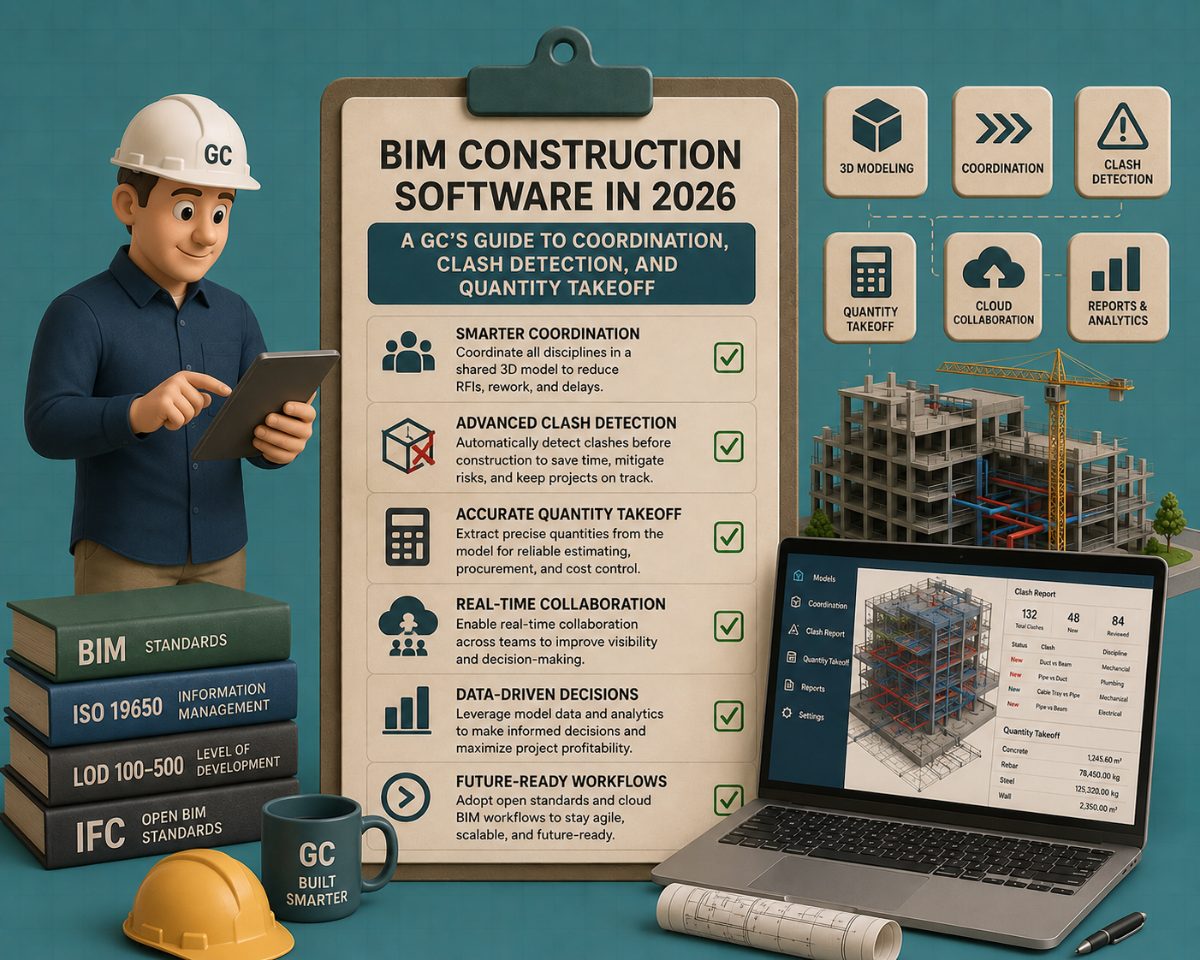
BIM construction software is what general contractors use to make sense of the model the architect handed them. The architect produces a coordinated, data-rich BIM model in Revit or Archicad. The GC inherits that model, and now has to coordinate it with structural, MEP, and trade-partner models, find the clashes before they become field RFIs, extract quantities for estimating and bid leveling, and push the coordinated model out to the field for installation. The tools that do this work are categorically different from the design software the architect used. Confusing the two is one of the most common reasons GCs end up with the wrong tech stack.
This article maps BIM construction software in 2026, the platforms, the workflow stages they cover, and how to think about the buying decision. The audience is the GC, project executive, or preconstruction lead evaluating which BIM tools to invest in for the construction-phase workflow.
What Does a GC Actually Do With a BIM Model?
The first thing to understand about BIM construction software is that it is not what the architect uses. The architect creates the building information model in Revit, Archicad, or Vectorworks — a design tool. The GC receives that model and uses a different category of software to do four specific things with it:
1. Coordinate the model with other disciplines. The architect's model is one piece. Structural, mechanical, electrical, plumbing, fire protection, and major trade partners (curtain wall, elevators, kitchen equipment) each produce their own discipline models. The GC's job is to consolidate these into a single federated model where every piece is in the same coordinate system and reviewable as a whole.
2. Run clash detection. Once the disciplines are coordinated, the GC checks for clashes — physical conflicts between elements that would prevent installation. A mechanical duct running through a structural beam. A plumbing line passing through an electrical conduit. A fire sprinkler drops into a light fixture. Catching these in the model before they reach the field is the single highest-value BIM workflow.
3. Take off quantities for estimating and bid leveling. During preconstruction, the GC extracts material counts, dimensions, and quantities from the model and the drawings to build accurate estimates and to level trade-partner bids against a common scope. This is its own workflow stage, with its own tool category.
4. Execute in the field. Once construction starts, the coordinated model has to be accessible to field teams, superintendents, foremen, and inspectors, on tablets and phones, with the ability to mark up issues, attach photos, and track installation against the model.
Different tools dominate each of these four stages. A GC's BIM tech stack typically includes at least two, and often three or four different products covering different stages.
Stage 1: Model Coordination — ACC Leads, Revizto Holds Strong Cross-Platform Position
Model coordination is the foundation of the GC's BIM workflow. Without a consolidated federated model, clash detection is not possible, field access is fragmented, and every discipline operates in isolation.
Autodesk Construction Cloud (ACC) is the dominant model coordination platform, particularly at firms working on Revit-native projects. ACC is now the umbrella brand that unifies what used to be BIM 360, PlanGrid, BuildingConnected, and Assemble into a single ecosystem. The Model Coordination module provides cloud-based federation, automatic clash detection, issue tracking, and integration with the Autodesk Forma platform for construction management. The 2026 release continued to deepen ACC's integration with Revit, with cloud worksharing through BIM Collaborate Pro now standard for distributed multi-disciplinary teams.
Revizto is the leading cross-platform model coordination alternative. Its appeal is platform-agnostic federation — Revit, Archicad, Tekla Structures, IFC, Navisworks, and dozens of other formats all consolidate into a single Revizto environment. For GCs working with design teams who use multiple BIM platforms (common on large mixed-discipline projects), Revizto removes the Revit-or-bust constraint that ACC imposes. The 2026 version added improved AI-assisted issue categorization and stronger field-mobile workflows.
Trimble Connect is the BIM coordination platform tied to Trimble's ecosystem — SketchUp, Tekla, ProjectSight, and the Trimble field-positioning tools. Common at firms standardized on the Trimble stack or at projects involving heavy steel structures (where Tekla is the dominant modeling tool).
Procore's BIM capabilities have grown significantly. Procore is primarily a construction management platform, but it now offers integrated BIM viewing, model coordination, and integration with ACC and Revizto. For GCs already standardized on Procore for everything else, the integrated BIM workflow eliminates a tool boundary.
The decision at this stage is rarely about features. It is about what platform the design-side team is using and what the GC's existing tech stack supports. If the architect delivers in ACC, ACC is the path of least resistance. If the project involves multiple BIM platforms, Revizto is the better federator.
Stage 2: Clash Detection — Navisworks Owns Deep Detail, ACC Owns the Cloud
Clash detection is the workflow that most directly returns on the BIM investment. Every clash caught in the model is a field RFI prevented, a coordination meeting avoided, and an installation delay eliminated.
Autodesk Navisworks Manage remains the deep-detail clash-detection standard at firms doing complex coordination work. Navisworks' Clash Detective module offers the most granular control over clash rules, tolerances, selection sets, and false-positive filtering. For megaproject GCs running thousands of clash tests across dozens of discipline models, Navisworks is still the tool. The desktop application interface and the depth of customization are what keep it dominant despite the move toward cloud platforms.
ACC Model Coordination brings clash detection into the cloud with automatic clash analysis on every model publish. The tradeoff against Navisworks is less granular control over clash rules in exchange for real-time collaboration, automatic clash assignment, integrated issue tracking, and zero installation overhead. For most projects, ACC's level of clash detection is sufficient — Navisworks is reserved for the projects where granularity matters more than convenience.
Revizto's clash detection is competitive with ACC and benefits from Revizto's platform-agnostic federation. If the federated model is in Revizto, the clash detection happens in Revizto, with no export step to a separate tool.
The Navisworks + ACC pattern is common at large GCs: ACC for the day-to-day coordination and team-wide clash review, Navisworks for the detailed clash analysis on specific disciplines or critical scopes. The two integrate via the Navisworks Coordination Issues Add-in, which loads ACC clash data directly into Navisworks for deeper inspection.
Stage 3: Quantity Takeoff and Estimating — A Stage Where the Tool Category Splits Three Ways
Quantity takeoff from a BIM model is its own workflow stage and the one where the GC's tool decisions get most fragmented. The category splits three ways:
Traditional 2D takeoff software (Bluebeam Revu, STACK, PlanSwift, On-Screen Takeoff) measures quantities from PDF drawings. These tools have decades of estimator workflow built around them and remain the dominant takeoff tools at smaller GCs and trade contractors. They are agnostic to whether the design was done in BIM — they read the PDF set the architect issued, and the estimator measures from it.
BIM-native takeoff tools (Autodesk Takeoff, Assemble Systems, Vico Office) read the model directly. The estimator queries the federated model for quantities, square feet of drywall, linear feet of stud, and the count of doors by type, without manually measuring. The strength of BIM-native takeoff is speed and update-currency: change the model, and the quantities update. The weakness is that BIM-native takeoff only captures what's modeled. Anything not in the model — site work, the design team didn't model, design-build MEP, scope gaps in trade-partner deliverables, has to be picked up separately.
AI-assisted takeoff services are the newest entrant in this stage. They combine computer-vision AI that reads the drawings and the model with senior estimator verification to produce bid-ready takeoffs that account for what's missing from plans as well as what's drawn.Melt Takeoff is the AI-native service in this category. Its AI Vision detects 800+ building elements across architectural, structural, and MEP drawings with counts, lengths, perimeters, areas, and volumes, and onshore senior estimators (15+ years of field experience) verify the AI's output and add detailed allowances for scope not shown on drawings. The deliverable is interactive output with clean Excel exports, designed to be bid-ready rather than a raw measurement dump.
The category split matters because the right tool depends on what the GC is solving for:
Trade contractors and small GCs doing repetitive scopes typically standardize on traditional 2D takeoff (Bluebeam, STACK) because the workflow is faster on familiar drawing types and the BIM model isn't always available.
Mid-size and large GCs working on BIM-native projects benefit from BIM-native takeoff (Autodesk Takeoff, Assemble) for the speed and currency, with traditional 2D takeoff used as a backup when the model is incomplete.
GCs facing scope-gap risk — where bids are won and lost on whether the estimator caught everything not explicitly drawn- benefit from AI-assisted takeoff services that combine the speed of AI with the experience of senior estimators who know what's typically missing.
The accuracy difference between these categories is real but often overstated. The bigger difference is in what gets caught beyond the drawings, and that's where AI-assisted takeoff with estimator verification has a structural advantage over either pure BIM-native or pure 2D approaches.
Stage 4: Field Execution — Procore Leads, ACC Build Catches Up, Bluebeam Universal
Once construction starts, the coordinated model has to live in the field. Superintendents, foremen, and inspectors need access to the model on tablets and phones, with the ability to mark up issues, log RFIs, attach photos, and verify installation against the design intent.
Procore is the dominant construction-management platform with integrated BIM viewing in the field. Procore's strength is the breadth of its workflow integration — RFIs, submittals, daily logs, photos, change orders, and BIM viewing all live in one platform. For GCs already standardized on Procore for project management, adding BIM viewing is incremental rather than transformative.
Autodesk Construction Cloud Build (the field module within ACC) provides the same workflow integration tied directly to the BIM model that came out of the design phase. For Revit-native projects, ACC Build offers tighter model coordination because there's no export step between the coordination model and the field model; they're the same database.
Bluebeam Revu is the universal field-markup tool. Every superintendent has Bluebeam on a tablet. RFI responses get marked up in Bluebeam. As-built conditions get redlined in Bluebeam. The role Bluebeam plays in field execution is universal regardless of whether the GC's broader stack is Procore-native, ACC-native, or something else.
The Procore + Bluebeam combination is common at mid-size GCs. The ACC Build + Bluebeam combination is common at Revit-native firms. Larger GCs often use all three: Procore for project management, ACC Build for BIM-anchored field workflows, Bluebeam for universal markup.
How Should a GC Build Its BIM Construction Tech Stack?
The honest answer depends on three factors: project complexity, firm size, and what the design-side partners use.
Small GC (under 25 people, residential or small commercial): Often a minimal stack — Procore for project management, Bluebeam for PDF markup and field execution, and traditional 2D takeoff software (STACK or PlanSwift) for estimating. BIM model coordination is usually deferred to whichever subcontractor or coordination specialist the project requires. Total annual software cost per project executive: $3,000–6,000.
Mid-size GC (25–250 people, commercial and institutional): Typically a four-tool stack — ACC or Revizto for model coordination, Navisworks for detailed clash analysis when needed, Procore for construction management, and a takeoff tool (BIM-native like Autodesk Takeoff for in-house work, AI-assisted like Melt Takeoff when scope-gap risk is high). Bluebeam universal across all roles. Total annual software cost per project executive: $6,000–12,000.
Large GC (250+ people, mega-projects and complex multi-discipline work): Full tech stack with redundancy — ACC and Revizto in parallel for different project types, Navisworks for deep clash analysis, Procore for construction management, Bluebeam universal, BIM-native takeoff plus AI-assisted takeoff services for high-stakes bids. Often, custom integrations between platforms and dedicated BIM coordinators on staff. Total annual software cost per project executive: $12,000–20,000+, with high additional cost in BIM-coordinator headcount.
The pattern: tech stack size scales with project complexity rather than firm size. A 10-person GC doing complex healthcare projects can spend more per project executive than a 50-person GC doing repetitive multifamily.
Frequently Asked Questions
What is BIM construction software?
BIM construction software is the category of tools GCs use to coordinate, clash-detect, take off quantities from, and execute against a building information model during construction. It is distinct from BIM design software (Revit, Archicad), which architects use to create the model. The leading construction-side platforms are Autodesk Construction Cloud (ACC), Navisworks, Revizto, Procore, and Trimble Connect.
What is the difference between BIM design software and BIM construction software?
BIM design software (Revit, Archicad, Vectorworks) creates the model. BIM construction software (ACC, Navisworks, Revizto, Procore) coordinates, clash-detects, takes off from, and executes against the model during construction. The architect uses the first; the GC uses the second. Both are "BIM software," but they solve different workflow stages.
Do I need both ACC and Navisworks?
Many large GCs use both. ACC handles cloud-based model coordination, automatic clash detection, and team-wide collaboration. Navisworks provides deeper granular control over clash detection rules and is preferred for complex coordination on megaprojects. The Navisworks Coordination Issues Add-in lets ACC clash data load directly into Navisworks for detailed analysis. For most mid-size projects, ACC alone is sufficient — Navisworks is reserved for projects where granular clash control matters more than cloud convenience.
Can I do quantity takeoff directly from a BIM model?
Yes, with BIM-native takeoff tools like Autodesk Takeoff or Assemble Systems. The advantage is speed and update-currency — change the model, the quantities update. The limitation is that BIM-native takeoff only captures what's modeled. Site work, design-build scope, and gaps in trade-partner deliverables typically have to be captured separately. AI-assisted takeoff services like Melt Takeoff address this by using AI vision to read both the model and the drawings, then having senior estimators verify the output and add allowances for scope not shown.
What's the most underrated stage in the GC's BIM workflow?
Quantity takeoff. Most discussion of BIM construction software focuses on model coordination and clash detection because those are the most visible. But quantity takeoff is where bids are won and lost, and where the gap between "measured what was drawn" and "captured everything that will actually be installed" determines whether the GC's bid is competitive and profitable. Tools that account for scope not shown on drawings have a structural advantage at this stage.
Is Procore enough on its own for a small GC?
For small GCs doing simpler scopes, Procore, Bluebeam plus a takeoff tool can cover the entire construction workflow. The model coordination and clash detection capabilities of Procore are less deep than ACC or Navisworks, but for projects where the architect handles most coordination and the GC's BIM role is largely viewing and field execution, Procore is sufficient. Add ACC or Revizto when the project complexity demands true federated model coordination.
How do I get bid-ready takeoffs faster?
Three options. First, train estimators on a BIM-native takeoff tool (Autodesk Takeoff, Assemble), fastest if your projects are consistently BIM-native and your model quality is high. Second, standardize on a 2D takeoff tool (Bluebeam, STACK) with reusable scope templates by project type. Third, use an AI-assisted takeoff service like Melt Takeoff for high-stakes bids where speed and the catch-what's-not-drawn factor matter. Many GCs use a combination of in-house tools for routine work and the service for high-value bids where missing scope risk is significant.
Related Building Code Resources
- Overview GuideBIM Construction Software: The Complete Guide for Architects and Engineers
- Overview GuideBuilding Permit Drawings Software: The Complete Guide for Architects and Designers
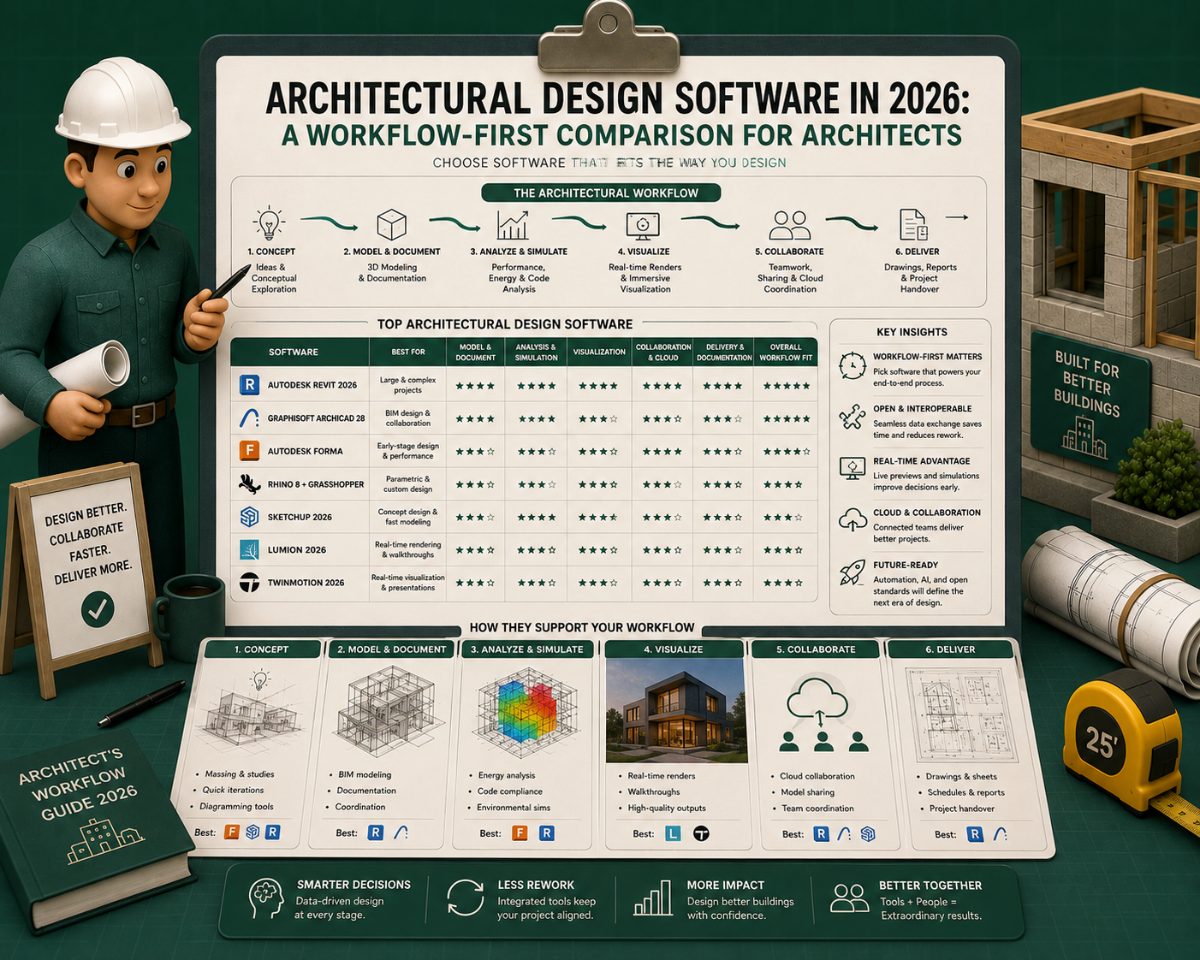
- Building CodesThe Best 3D Rendering Software for Architects in 2026: A Workflow-First Comparison
- Building CodesBest AI to Generate Floor Plans: A Professional Comparison for Architects and Designers
- Building CodesArchitectural Design Software in 2026: A Workflow-First Comparison With Per-Stage Tool Comparisons
MeltPlan
A curated stream of preconstruction intelligence, estimating innovation, takeoff breakthroughs, workflow advancements, and expert perspectives—powered by the AI and technology shaping the future of construction.
Visit SiteDon't miss what's shaping AEC
Don't miss what's shaping AEC The latest on preconstruction, codes, AEC news & trends — so you're al